
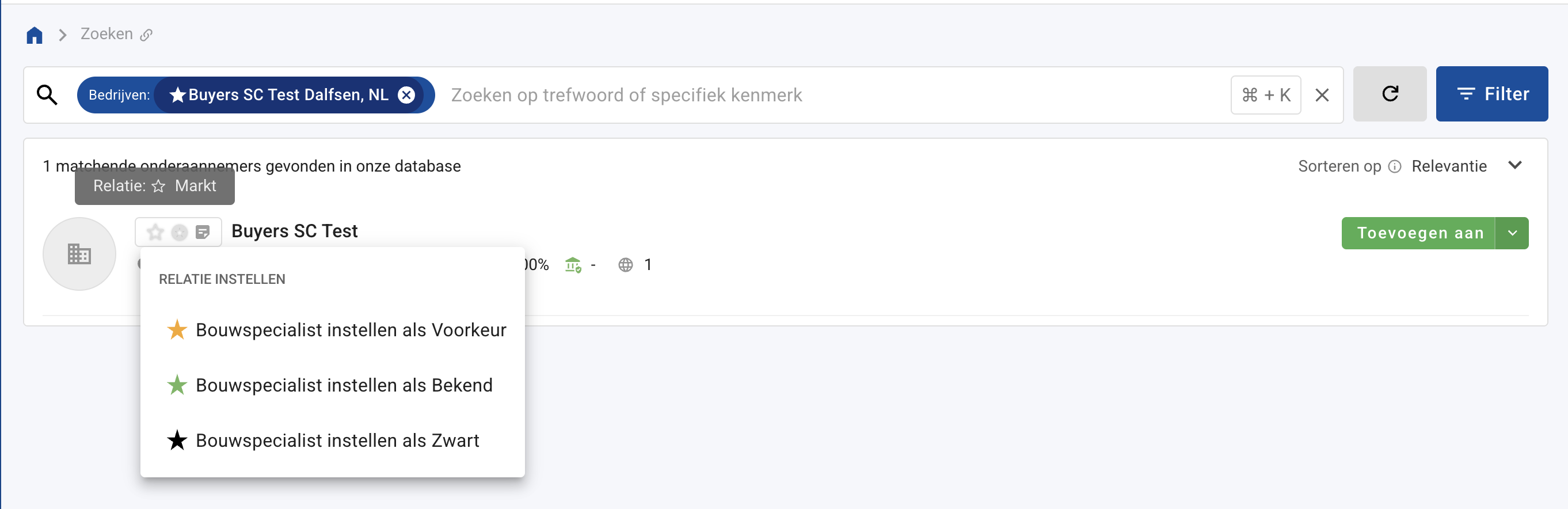
By using yellow and green stars, you can manage construction partners and subcontractors on the search page. Additionally, it is also possible to mark a subcontractor with a black star if business should not be conducted with them.
To mark a subcontractor, click the star icon and then click 'Set subcontractor as,' after which you choose Preferred, Known, or Black.
Automatically mark stars via an import
Do you already manage all your favorite and known subcontractors externally and can you export this data? If so, it is likely possible to periodically mark your subcontractors automatically in your branch(es) via an import. If interested, please email support@12build.com.
Request for Proposal Statistics
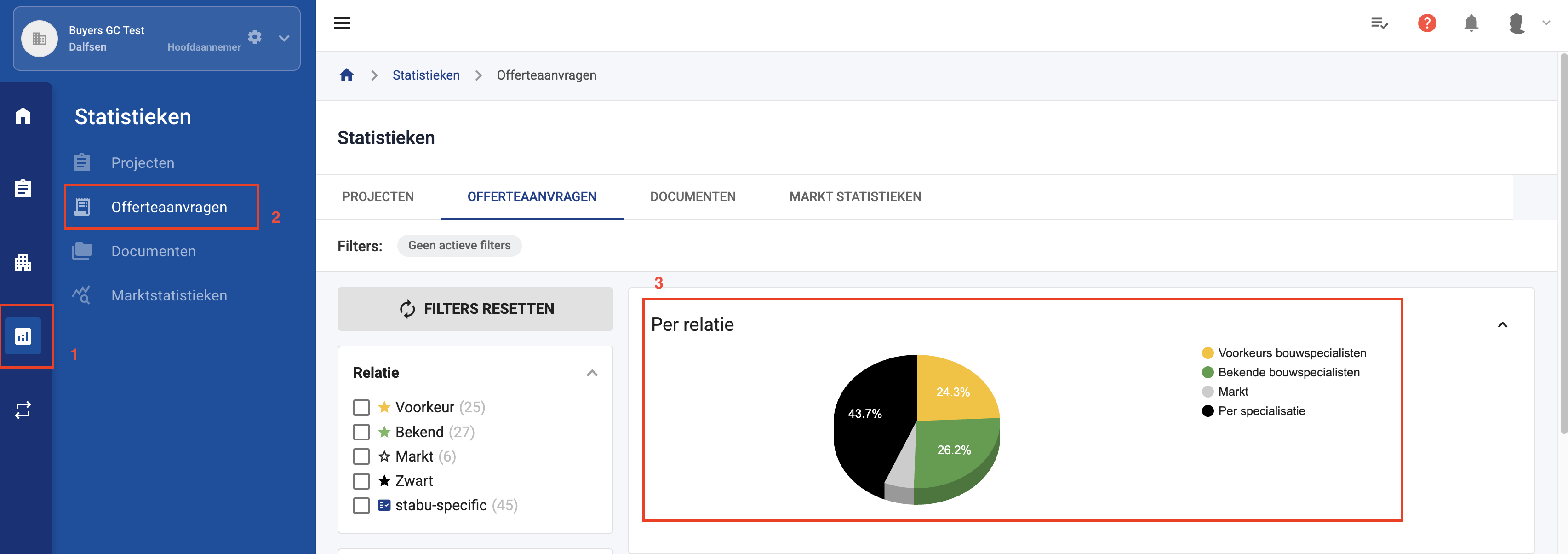
The star marks reappear on your organization’s statistics page (1, 2). Here you can see what percentage of requests for proposals went to the marked subcontractors (3). You can also see which market parties (transparent star) were requested.
Not every user can manage the fixed parties. To do so, you must be an (administrator) or have been granted the necessary permissions. These permissions are often combined with those for project templates.